Windows 10/11 · 100% Offline

Stop losing files
to digital chaos.

File Organizer Pro scans your folders, finds duplicates, spots redundant versions, clears junk, and organizes everything by type — in seconds. Your files stay on your PC, always.

Get it on Microsoft Store See what it does

No cloud · No telemetry · Safe Trash with full Undo

9
Analysis tabs
6
Scan presets
SHA-256
Duplicate detection
Undo history

See it in action.

Real UI, running on a real machine. Dark mode. No mockups.

File Organizer Pro — main interface
Main Interface 9-tab sidebar with real-time stats on files scanned and recoverable space.
File Organizer Pro — duplicate detection
Duplicate Detection Content-based grouping via SHA-256 hash — finds identical files regardless of name.

7 tools in one app.

Each tab is a dedicated tool. Run them together or independently.

📋

Duplicate Finder

Finds files with identical content using SHA-256 hashing — same data, different names still detected. Groups all copies and frees space with one click.

Content-based, not name-based Bulk delete with Safe Trash Export duplicate report
📑

Version Manager

Groups related file versions automatically — report_v1, report_v2, report_final, report_2024-01-15. Choose which one to keep; the rest go to Safe Trash.

_v1 · _draft · _final · _old · (1) · dates Preview before deleting Open files from the dialog
📦

Archive Pair Detector

Finds archive+folder pairs where both exist (e.g., photos.zip + photos/). If you already extracted it, the original archive is just wasting space.

Supports .zip .rar .7z .tar .tar.gz Choose to delete archive or folder
🖼️

Similar Image Finder

Uses perceptual hashing (dHash) to find visually similar images even across different resolutions, minor crops, or format differences (jpg vs png).

90% similarity threshold Keeps highest-resolution copy Supports jpg · png · gif · bmp · webp
🧹

Smart Cleanup

Identifies junk across 5 categories: empty folders, zero-byte files, temp files (.tmp/.cache/.bak), large files, and files not accessed in over a year.

5 sub-tabs, each independently scannable Delete only what you select
📂

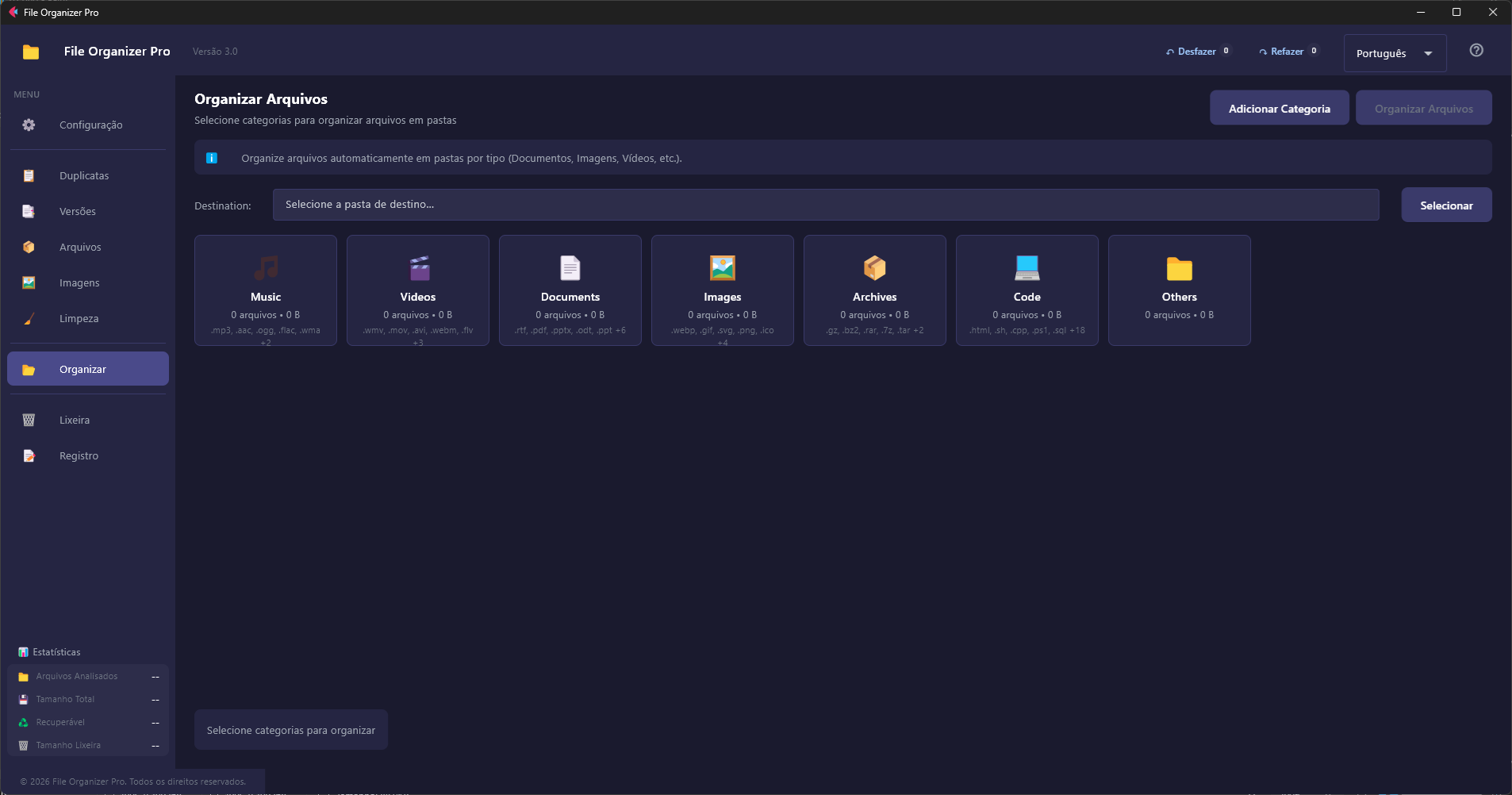
Auto-Organizer

Sorts files into category folders automatically — Music, Videos, Documents, Images, Archives, Code, and Others. Fully customizable with your own categories.

7 built-in categories Create custom categories with any extensions No filename conflicts — timestamp on duplicates
📊

Activity Log

Every operation is timestamped and logged — files moved, duplicates removed, analysis results. Color-coded by type: info, success, warning, error.

Full history per session Clear log anytime
Scan. Review. Clean.

Three steps. The app does the heavy lifting.

1

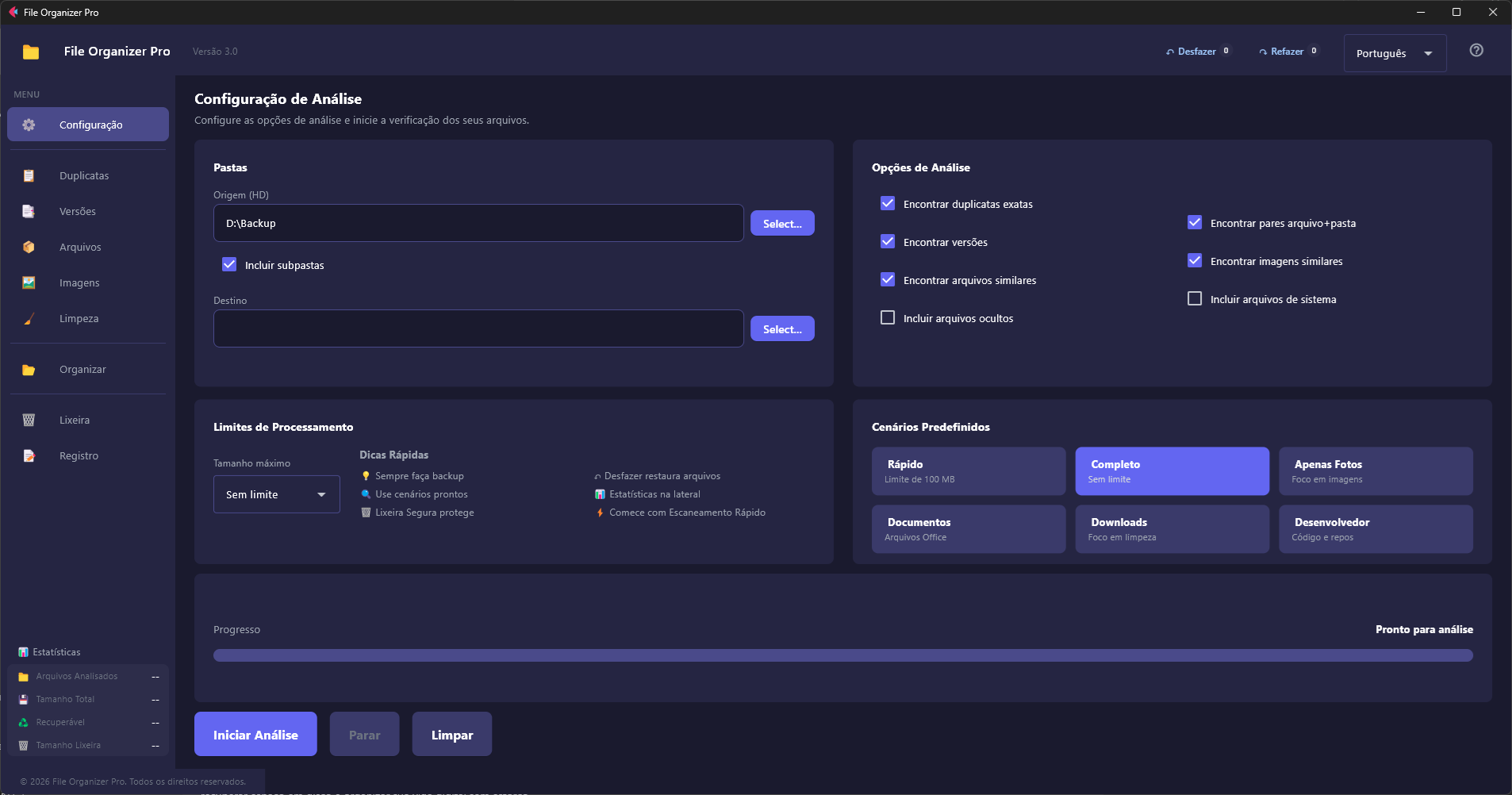
Select a folder and configure options

Pick your source folder, toggle which analyses to run (duplicates, versions, images, etc.), and set a file size limit to keep things fast.

2

Start Analysis — runs fully in the background

The scan runs without freezing the UI. Real-time progress goes from 0% to 100% as each engine finishes. Results populate all tabs automatically. You can cancel anytime.

3

Review results in each tab and take action

Each tab shows exactly what was found. Select what to delete, organize, or restore. Everything goes through Safe Trash first — nothing is permanently deleted without your explicit confirmation.

Pick a scenario.

One-click configurations for the most common cleanup jobs.

Quick Scan
100 MB limit · duplicates only
🔍
Complete
No limit · all engines on
📷
Photos Only
Focus on similar images
📄
Documents
Focus on file versions
⬇️
Downloads
Focus on cleanup junk
💻
Developer
Focus on code & repos

Nothing is lost by accident.

Every destructive action goes through at least one safety layer.

🗑️
Safe Trash
Deleted files are moved to a recoverable Safe Trash, not permanently erased. Original paths are remembered so files can be restored exactly where they came from.
♻️
Windows Recycle Bin
When emptying the Safe Trash, you can route files through the Windows Recycle Bin for an extra recovery layer — recommended for sensitive files.
↩️
Selective Undo / Redo
Undo any deletion — not just the last one. Pick individual files from the full history and restore exactly what you want. Redo is available too.
🔒
100% Offline
Your files never leave your computer. No cloud sync, no telemetry, no accounts. The app works entirely on your local machine.

What you need

🪟
Windows 10 / 11
64-bit
🖥️
1366 × 768 minimum
Any modern display
💾
Any amount of RAM
Lightweight background scans
🌐
No internet required
Fully offline

Also try RAMForge

Intelligent memory optimizer for Windows. Squeeze significantly more out of the RAM you already have — adaptive compression, ML prediction, and smart page management.

Discover RAMForge →